> ## Documentation Index
> Fetch the complete documentation index at: https://code.claude.com/docs/llms.txt
> Use this file to discover all available pages before exploring further.

# Week 22 · May 25–29, 2026

> Claude Opus 4.8에서 Claude Code를 실행하고, 동적 워크플로우로 대규모 작업을 조율하며, security-guidance 플러그인으로 보안 문제를 포착하고, Opus 4.8의 빠른 모드를 더 낮은 가격으로 사용합니다.

<div className="digest-meta">
  <span>Releases <a href="/docs/en/changelog#2-1-150">v2.1.150 → v2.1.157</a></span>
  <span>4 features · May 25–29</span>
</div>

<div className="digest-feature">
  <div className="digest-feature-header">
    <span className="digest-feature-title">Claude Opus 4.8</span>
    <span className="digest-feature-pill">new model</span>
  </div>

  <p className="digest-feature-lede">Opus 4.8은 이제 Max, Team Premium, Enterprise pay-as-you-go 및 Anthropic API의 기본값입니다. 기본적으로 높은 노력으로 설정되어 있으며, 더 어려운 작업의 경우 <code>/effort xhigh</code>를 사용합니다. v2.1.154 이상이 필요합니다.</p>

  <Frame>
    <video autoPlay muted loop playsInline className="w-full" src="https://mintcdn.com/claude-code/QsIrGXGFg6xd7joy/images/whats-new/opus-4-8.mp4?fit=max&auto=format&n=QsIrGXGFg6xd7joy&q=85&s=6ebcf5fe136467da2b254de1fe749ea7" data-path="images/whats-new/opus-4-8.mp4" />
  </Frame>

  <p className="digest-feature-try">이름으로 Opus 4.8로 전환하거나 모델 선택기에서 선택합니다:</p>

  ```text Claude Code theme={null}
  > /model claude-opus-4-8
  ```

  <a className="digest-feature-link" href="/ko/model-config#available-models">Model configuration</a>
</div>

<div className="digest-feature">
  <div className="digest-feature-header">
    <span className="digest-feature-title">Dynamic workflows</span>
    <span className="digest-feature-pill">research preview</span>
  </div>

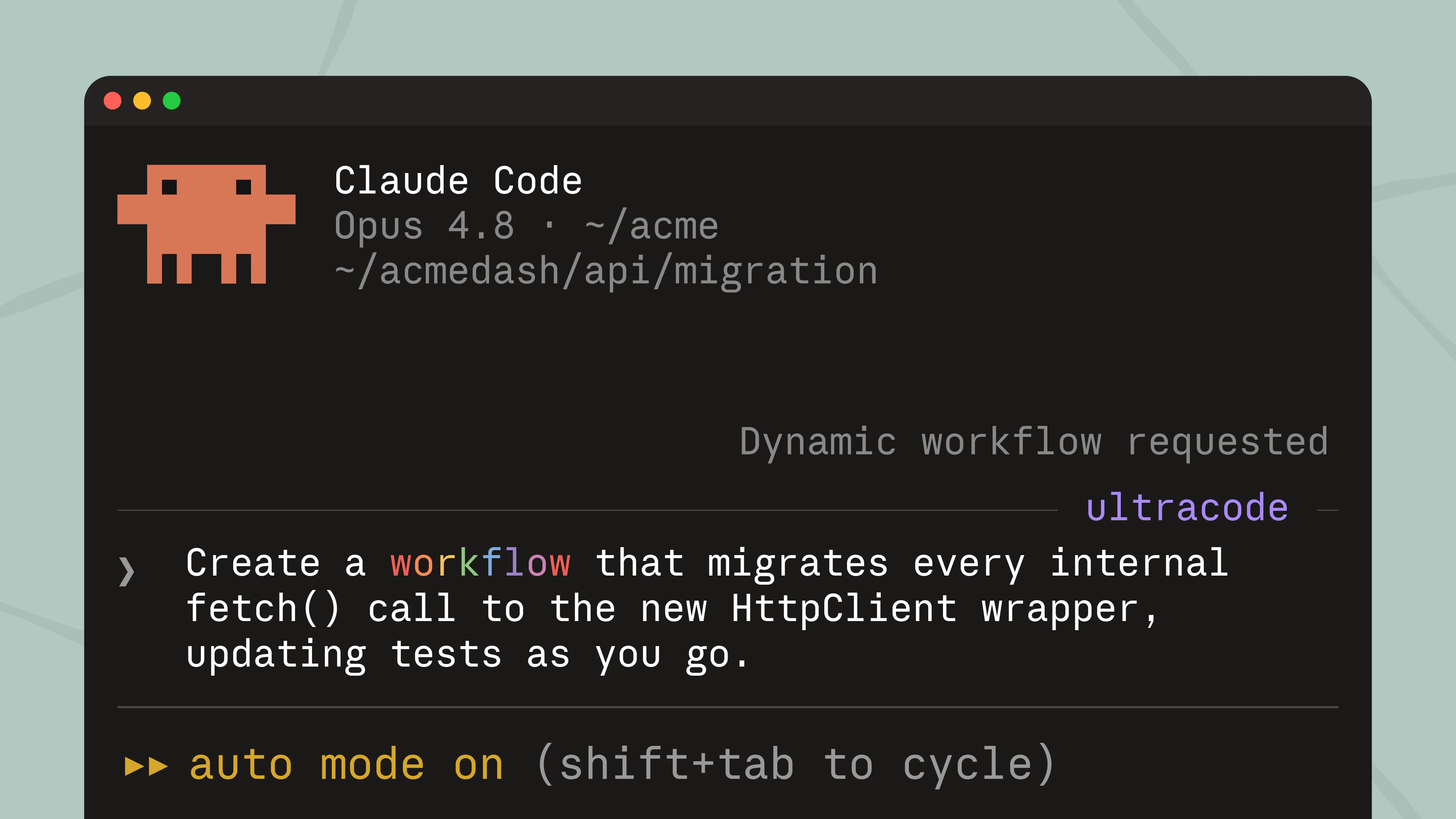
  <p className="digest-feature-lede">워크플로우는 Claude가 작업을 위해 작성하고 백그라운드에서 많은 서브에이전트에 걸쳐 실행하는 오케스트레이션 스크립트입니다. 작업이 하나의 대화로 조율하기에 너무 큰 경우에 사용합니다: 코드베이스 전체 감사, 대규모 마이그레이션, 교차 검증이 필요한 연구 질문. <code>/workflows</code>로 실행을 관리합니다.</p>

  <Frame>
    <img className="w-full" src="https://mintcdn.com/claude-code/QsIrGXGFg6xd7joy/images/whats-new/dynamic-workflows.png?fit=max&auto=format&n=QsIrGXGFg6xd7joy&q=85&s=26671fa8607cec3453ed9753f821bd4f" alt="Claude Code on Opus 4.8 showing a Dynamic workflow requested indicator for a prompt that asks for a workflow to migrate every internal fetch() call" width="3840" height="2160" data-path="images/whats-new/dynamic-workflows.png" />
  </Frame>

  <p className="digest-feature-try">작업을 설명하고 workflow를 요청합니다:</p>

  ```text Claude Code theme={null}
  > create a workflow that migrates every internal fetch() call to the new HttpClient wrapper
  ```

  <a className="digest-feature-link" href="/ko/workflows">Dynamic workflows</a>
</div>

<div className="digest-feature">
  <div className="digest-feature-header">
    <span className="digest-feature-title">Security guidance plugin</span>
    <span className="digest-feature-pill">plugin</span>
  </div>

  <p className="digest-feature-lede">security-guidance 플러그인은 Claude의 코드 변경 사항을 취약점에 대해 검토하고 동일한 세션에서 수정합니다. 각 편집에서 빠른 패턴 검사를 실행하고, 각 턴의 끝에서 모델 검토를 수행하며, 커밋 또는 푸시 시 더 깊은 에이전트 검토를 수행합니다. <code>.claude/claude-security-guidance.md</code>에서 프로젝트 규칙을 추가합니다.</p>

  <Frame>
    <video autoPlay muted loop playsInline className="w-full" src="https://mintcdn.com/claude-code/QsIrGXGFg6xd7joy/images/whats-new/security-guidance.mp4?fit=max&auto=format&n=QsIrGXGFg6xd7joy&q=85&s=c91d865936411586f42b24c558bcdd1d" data-path="images/whats-new/security-guidance.mp4" />
  </Frame>

  <p className="digest-feature-try">공식 Anthropic 마켓플레이스에서 설치합니다:</p>

  ```text Claude Code theme={null}
  > /plugin install security-guidance@claude-plugins-official
  ```

  <p className="digest-feature-try">그런 다음 현재 세션에서 활성화합니다:</p>

  ```text Claude Code theme={null}
  > /reload-plugins
  ```

  <a className="digest-feature-link" href="/ko/security-guidance">Security guidance plugin</a>
</div>

<div className="digest-feature">
  <div className="digest-feature-header">
    <span className="digest-feature-title">Fast mode on Opus 4.8</span>
    <span className="digest-feature-pill">research preview</span>
  </div>

  <p className="digest-feature-lede">빠른 모드는 이제 Opus 4.8을 기본값으로 하며 MTok당 \$10/\$50입니다: 표준 요금의 2배로 약 2.5배의 속도를 제공합니다. Opus 4.7 및 4.6은 \$30/\$150으로 유지됩니다. Opus 4.6 빠른 모드는 더 이상 사용되지 않습니다.</p>

  <p className="digest-feature-try">빠른 모드를 전환합니다(이제 Opus 4.8에서):</p>

  ```text Claude Code theme={null}
  > /fast
  ```

  <a className="digest-feature-link" href="/ko/fast-mode#understand-the-cost-tradeoff">Fast mode pricing</a>
</div>

<div className="digest-wins">
  <p className="digest-wins-title">Other wins</p>

  <div className="digest-wins-grid">
    <div><code>claude agents</code>에서 셸 명령 앞에 <code>!</code>를 붙여서 백그라운드 작업으로 실행할 수 있으며, 연결하고 분리할 수 있습니다. <code>claude --bg --exec 'pytest -x'</code>로도 사용 가능합니다.</div>
    <div><code>.claude/skills</code> 디렉토리의 플러그인은 이제 마켓플레이스 없이 자동으로 로드되며, <code>claude plugin init \<name></code>은 새 플러그인을 스캐폴드합니다.</div>
    <div>새로운 <code>/reload-skills</code> 명령은 다시 시작하지 않고 스킬 디렉토리를 다시 스캔하며, <code>SessionStart</code> 훅은 <code>reloadSkills: true</code>를 반환하여 설치하는 스킬을 동일한 세션에서 사용 가능하게 만들 수 있습니다.</div>
    <div>스킬과 명령은 프론트매터에서 <code>disallowed-tools</code>를 설정하여 스킬이 활성화된 동안 모델에서 도구를 제거할 수 있습니다.</div>
    <div>새로운 <code>MessageDisplay</code> 훅 이벤트를 통해 훅은 어시스턴트 메시지 텍스트를 표시할 때 변환하거나 숨길 수 있습니다.</div>
    <div>Claude Code는 이제 기본 모델을 찾을 수 없을 때 모든 요청에 실패하는 대신 구성된 <code>--fallback-model</code>로 세션의 나머지 부분에 대해 전환합니다.</div>
    <div>플러그인은 <code>plugin.json</code> 또는 마켓플레이스 항목에서 <code>defaultEnabled: false</code>를 선언할 수 있으므로 활성화할 때까지 켜지 않고 설치됩니다.</div>
    <div>Vim 모드: NORMAL 모드에서 <code>/</code>는 역방향 히스토리 검색을 열며, Bash 및 Zsh vi-mode와 일치합니다.</div>
    <div>스트리밍 도구 실행은 이제 항상 활성화되어 있으며, 원격 측정이 비활성화되고 Amazon Bedrock, Google Cloud의 Agent Platform 및 Microsoft Foundry에서도 포함됩니다.</div>
    <div>에이전트 보기를 열기 위해 <code>←←</code>는 이제 Amazon Bedrock, Google Cloud의 Agent Platform, Microsoft Foundry 및 원격 측정이 비활성화된 상태에서 작동합니다.</div>
    <div>Chrome의 Claude: <code>/chrome</code> → "Select browser…"를 통해 사용할 연결된 브라우저를 선택하거나, 여러 개가 연결된 브라우저 작업이 실행될 때 채팅 내에서 선택합니다.</div>
    <div><code>claude mcp list</code> 및 <code>claude mcp get</code>은 이제 승인되지 않은 <code>.mcp.json</code> 서버를 자동 승인 및 연결 대신 승인 대기 중으로 표시합니다(출력이 파이프될 때).</div>
  </div>
</div>

[Full changelog for v2.1.150–v2.1.157 →](/en/changelog#2-1-150)