> ## Documentation Index
> Fetch the complete documentation index at: https://code.claude.com/docs/llms.txt
> Use this file to discover all available pages before exploring further.

# 第 22 週 · 5 月 25–29 日，2026 年

> 在 Claude Opus 4.8 上執行 Claude Code、使用動態工作流程協調大型任務、使用 security-guidance 外掛程式捕捉安全問題，以及以更低的價格在 Opus 4.8 上使用快速模式。

<div className="digest-meta">
  <span>版本 <a href="/docs/en/changelog#2-1-150">v2.1.150 → v2.1.157</a></span>
  <span>4 項功能 · 5 月 25–29 日</span>
</div>

<div className="digest-feature">
  <div className="digest-feature-header">
    <span className="digest-feature-title">Claude Opus 4.8</span>
    <span className="digest-feature-pill">新模型</span>
  </div>

  <p className="digest-feature-lede">Opus 4.8 現在是 Max、Team Premium、Enterprise 隨用隨付和 Anthropic API 上的預設值。它預設為高努力；對於更難的任務，請使用 <code>/effort xhigh</code>。需要 v2.1.154 或更新版本。</p>

  <Frame>
    <video autoPlay muted loop playsInline className="w-full" src="https://mintcdn.com/claude-code/QsIrGXGFg6xd7joy/images/whats-new/opus-4-8.mp4?fit=max&auto=format&n=QsIrGXGFg6xd7joy&q=85&s=6ebcf5fe136467da2b254de1fe749ea7" data-path="images/whats-new/opus-4-8.mp4" />
  </Frame>

  <p className="digest-feature-try">按名稱切換到 Opus 4.8，或從模型選擇器中選擇它：</p>

  ```text Claude Code theme={null}
  > /model claude-opus-4-8
  ```

  <a className="digest-feature-link" href="/zh-TW/model-config#available-models">模型配置</a>
</div>

<div className="digest-feature">
  <div className="digest-feature-header">
    <span className="digest-feature-title">Dynamic workflows</span>
    <span className="digest-feature-pill">研究預覽</span>
  </div>

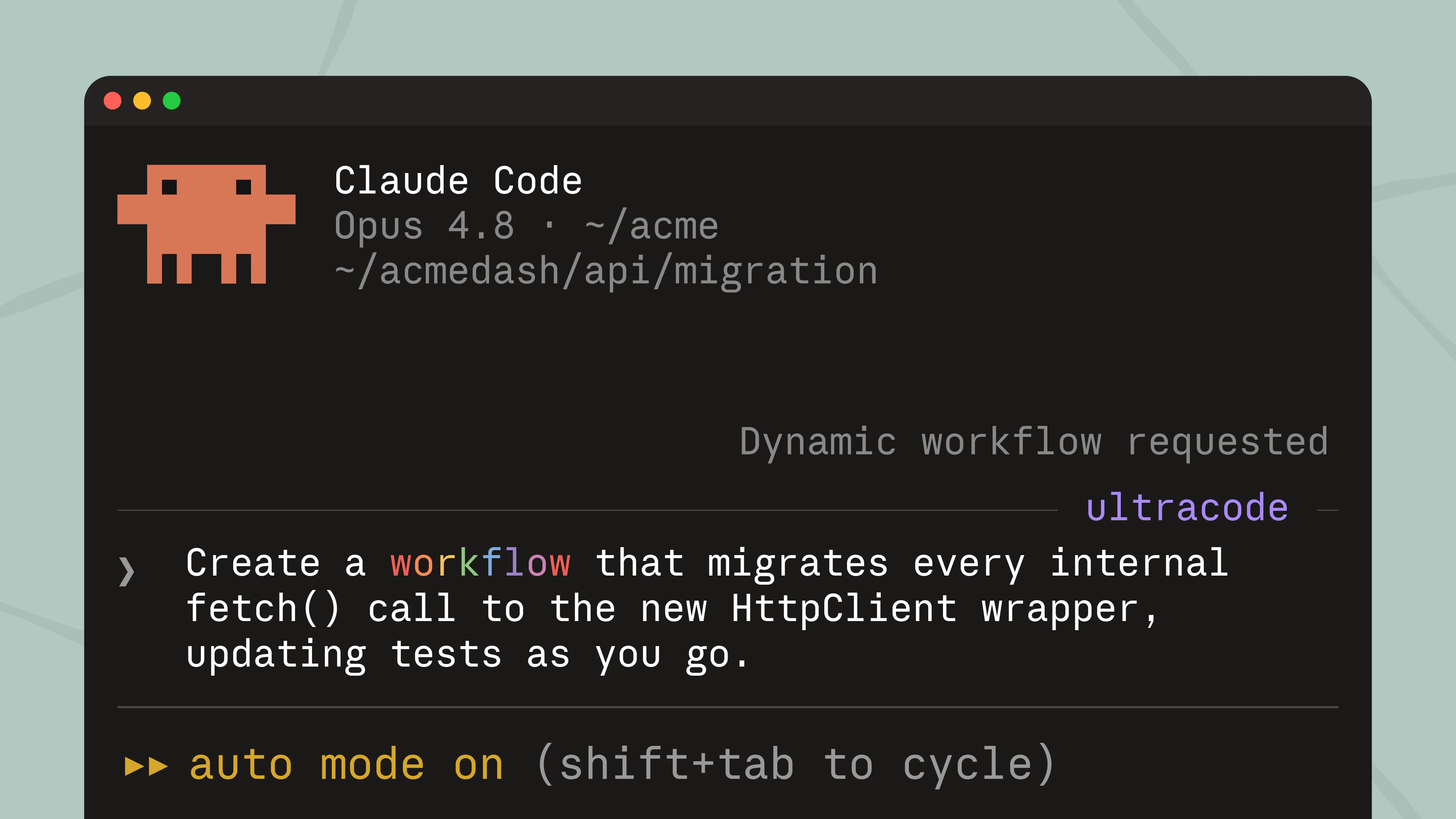
  <p className="digest-feature-lede">工作流程是 Claude 為您的任務編寫的協調指令碼，並在背景中跨許多子代理執行。當任務對於一個對話來協調太大時，請使用一個：整個程式碼庫審計、大型遷移、需要交叉檢查的研究問題。使用 <code>/workflows</code> 管理執行。</p>

  <Frame>
    <img className="w-full" src="https://mintcdn.com/claude-code/QsIrGXGFg6xd7joy/images/whats-new/dynamic-workflows.png?fit=max&auto=format&n=QsIrGXGFg6xd7joy&q=85&s=26671fa8607cec3453ed9753f821bd4f" alt="Claude Code on Opus 4.8 showing a Dynamic workflow requested indicator for a prompt that asks for a workflow to migrate every internal fetch() call" width="3840" height="2160" data-path="images/whats-new/dynamic-workflows.png" />
  </Frame>

  <p className="digest-feature-try">描述任務並要求工作流程：</p>

  ```text Claude Code theme={null}
  > create a workflow that migrates every internal fetch() call to the new HttpClient wrapper
  ```

  <a className="digest-feature-link" href="/zh-TW/workflows">Dynamic workflows</a>
</div>

<div className="digest-feature">
  <div className="digest-feature-header">
    <span className="digest-feature-title">Security guidance plugin</span>
    <span className="digest-feature-pill">plugin</span>
  </div>

  <p className="digest-feature-lede">security-guidance 外掛程式檢查 Claude 的程式碼變更是否存在漏洞，並在同一工作階段中修復它們。它在每次編輯時執行快速模式檢查，在每個回合結束時執行模型檢查，以及在提交或推送時執行更深入的代理檢查。在 <code>.claude/claude-security-guidance.md</code> 中新增專案規則。</p>

  <Frame>
    <video autoPlay muted loop playsInline className="w-full" src="https://mintcdn.com/claude-code/QsIrGXGFg6xd7joy/images/whats-new/security-guidance.mp4?fit=max&auto=format&n=QsIrGXGFg6xd7joy&q=85&s=c91d865936411586f42b24c558bcdd1d" data-path="images/whats-new/security-guidance.mp4" />
  </Frame>

  <p className="digest-feature-try">從官方 Anthropic 市場安裝它：</p>

  ```text Claude Code theme={null}
  > /plugin install security-guidance@claude-plugins-official
  ```

  <p className="digest-feature-try">然後在目前工作階段中啟用它：</p>

  ```text Claude Code theme={null}
  > /reload-plugins
  ```

  <a className="digest-feature-link" href="/zh-TW/security-guidance">Security guidance plugin</a>
</div>

<div className="digest-feature">
  <div className="digest-feature-header">
    <span className="digest-feature-title">Fast mode on Opus 4.8</span>
    <span className="digest-feature-pill">研究預覽</span>
  </div>

  <p className="digest-feature-lede">快速模式現在預設為 Opus 4.8，每 MTok 為 \$10/\$50：標準速率的 2 倍，速度約為 2.5 倍。Opus 4.7 和 4.6 保持在 \$30/\$150。Opus 4.6 快速模式已棄用。</p>

  <p className="digest-feature-try">切換快速模式，現在在 Opus 4.8 上：</p>

  ```text Claude Code theme={null}
  > /fast
  ```

  <a className="digest-feature-link" href="/zh-TW/fast-mode#understand-the-cost-tradeoff">快速模式定價</a>
</div>

<div className="digest-wins">
  <p className="digest-wins-title">其他成果</p>

  <div className="digest-wins-grid">
    <div>在 <code>claude agents</code> 中，在 shell 命令前加上 <code>!</code> 以將其作為背景工作執行，您可以附加到該工作並從中分離；也可用作 <code>claude --bg --exec 'pytest -x'</code></div>
    <div>位於 <code>.claude/skills</code> 目錄中的外掛程式現在會自動載入，不需要市場，<code>claude plugin init \<name></code> 會為新外掛程式搭建框架</div>
    <div>新的 <code>/reload-skills</code> 命令重新掃描技能目錄而無需重新啟動，<code>SessionStart</code> hooks 可以傳回 <code>reloadSkills: true</code> 以使它們安裝的技能在同一工作階段中可用</div>
    <div>技能和命令可以在 frontmatter 中設定 <code>disallowed-tools</code> 以在技能處於活動狀態時從模型中移除工具</div>
    <div>新的 <code>MessageDisplay</code> hook 事件讓 hooks 在顯示助手訊息文字時轉換或隱藏它</div>
    <div>Claude Code 現在在找不到主要模型時會切換到您配置的 <code>--fallback-model</code> 以進行工作階段的其餘部分，而不是使每個請求都失敗</div>
    <div>外掛程式可以在 <code>plugin.json</code> 或市場項目中宣告 <code>defaultEnabled: false</code>，以便它們安裝而不開啟，直到您啟用它們</div>
    <div>Vim 模式：在 NORMAL 模式下按 <code>/</code> 開啟反向歷史搜尋，與 Bash 和 Zsh vi-mode 相符</div>
    <div>串流工具執行現在始終啟用，包括在禁用遙測和 Amazon Bedrock、Google Cloud 的 Agent Platform 和 Microsoft Foundry 上</div>
    <div><code>←←</code> 開啟代理檢視現在適用於 Amazon Bedrock、Google Cloud 的 Agent Platform、Microsoft Foundry 和禁用遙測的情況</div>
    <div>Chrome 中的 Claude：透過 <code>/chrome</code> → "選擇瀏覽器…" 選擇要使用的連接瀏覽器，或在瀏覽器操作執行時在聊天中選擇多個連接的瀏覽器</div>
    <div><code>claude mcp list</code> 和 <code>claude mcp get</code> 現在將未批准的 <code>.mcp.json</code> 伺服器顯示為待批准，而不是在輸出被管道傳輸時自動批准和連接</div>
  </div>
</div>

[v2.1.150–v2.1.157 的完整變更日誌 →](/en/changelog#2-1-150)