> ## Documentation Index
> Fetch the complete documentation index at: https://code.claude.com/docs/llms.txt
> Use this file to discover all available pages before exploring further.

# Week 13 · March 23–27, 2026

> Auto mode for hands-off permissions, computer use built in, PR auto-fix in the cloud, transcript search, and a PowerShell tool for Windows.

<div className="digest-meta">
  <span>Releases <a href="/docs/en/changelog#2-1-83">v2.1.83 → v2.1.85</a></span>
  <span>6 features · March 23–27</span>
</div>

<div className="digest-feature">
  <div className="digest-feature-header">
    <span className="digest-feature-title">Auto mode</span>
    <span className="digest-feature-pill">research preview</span>
  </div>

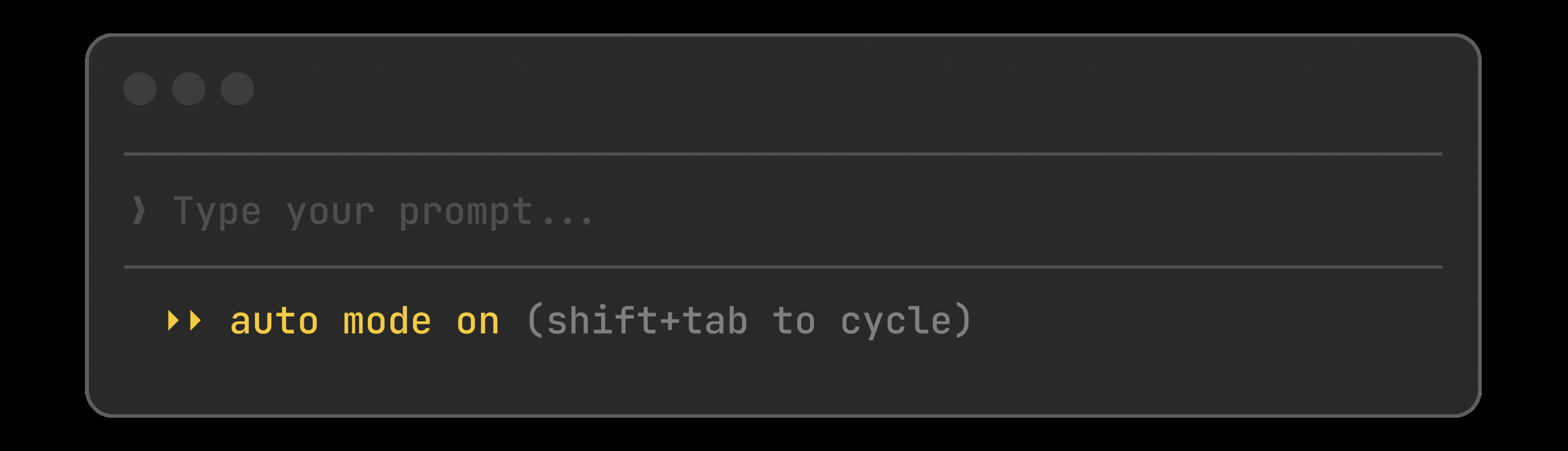
  <p className="digest-feature-lede">Auto mode hands your permission prompts to a classifier. Safe edits and commands run without interrupting you; anything destructive or suspicious gets blocked and surfaced. It's the middle ground between approving every file write and running with <code>--dangerously-skip-permissions</code>.</p>

  <Frame>
    <img src="https://mintcdn.com/claude-code/CfffsX01JHFnIKvD/images/whats-new/auto-mode.png?fit=max&auto=format&n=CfffsX01JHFnIKvD&q=85&s=367c9e9d4ba5bc57ec4b935154bf1fbb" alt="Claude Code prompt footer showing 'auto mode on (shift+tab to cycle)' indicator in yellow" width="2400" height="691" data-path="images/whats-new/auto-mode.png" />
  </Frame>

  <p className="digest-feature-try">Cycle to auto with Shift+Tab, or set it as your default:</p>

  ```json .claude/settings.json {3} theme={null}
  {
    "permissions": {
      "defaultMode": "auto"
    }
  }
  ```

  <a className="digest-feature-link" href="/docs/en/permission-modes">Permission modes guide</a>
</div>

<div className="digest-feature">
  <div className="digest-feature-header">
    <span className="digest-feature-title">Computer use</span>
    <span className="digest-feature-pill">Desktop</span>
  </div>

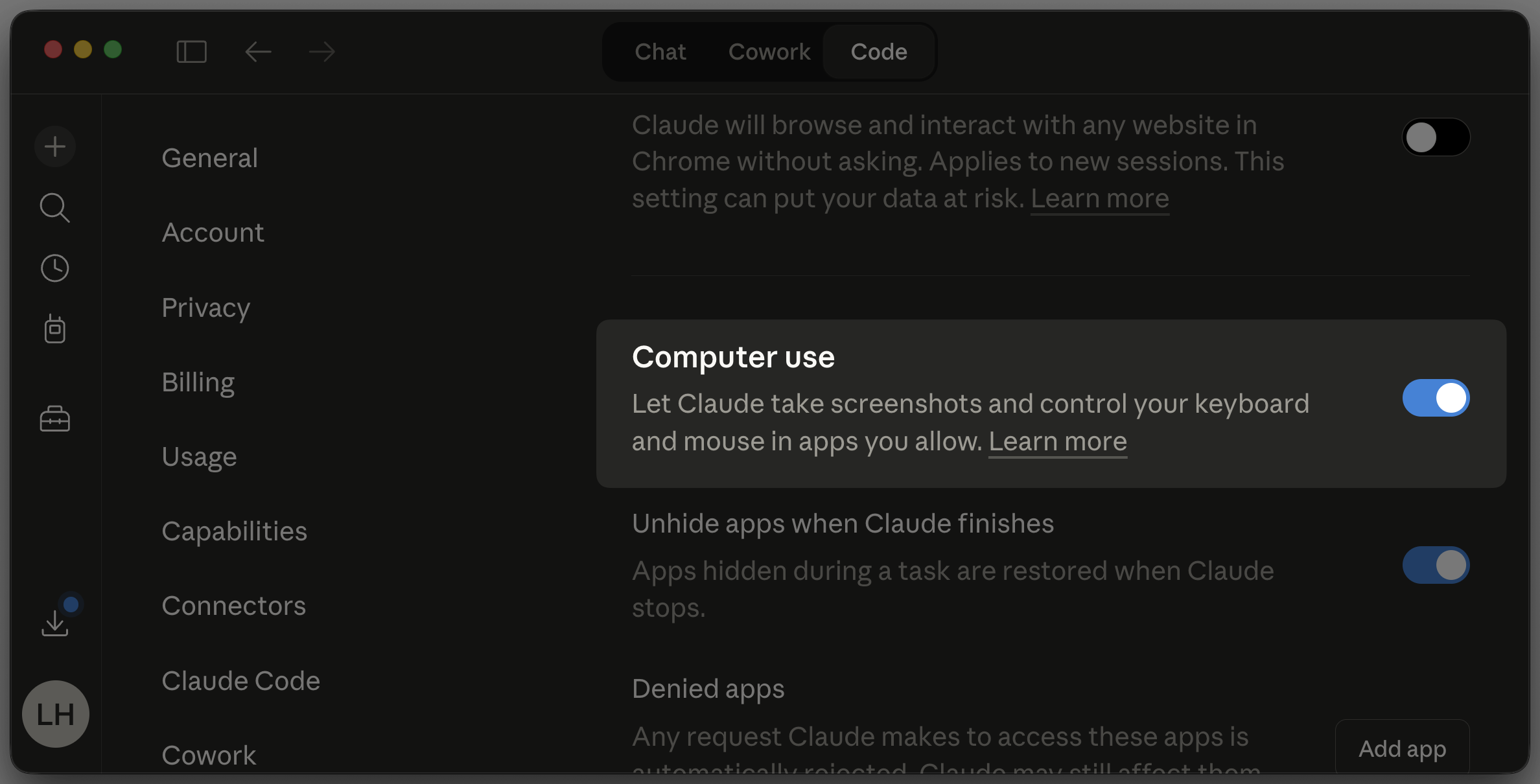
  <p className="digest-feature-lede">Claude can now control your actual desktop from the Claude Code Desktop app: open native apps, click through the iOS simulator, drive hardware control panels, and verify changes on screen. It's off by default and asks before each action. Best for the things nothing else can reach: apps without an API, proprietary tools, anything that only exists as a GUI.</p>

  <Frame>
    <img src="https://mintcdn.com/claude-code/CfffsX01JHFnIKvD/images/whats-new/computer-use.png?fit=max&auto=format&n=CfffsX01JHFnIKvD&q=85&s=d631de2017edafff463505f8ddbc0f51" alt="Claude Desktop settings with the Computer use toggle enabled, showing the option to let Claude take screenshots and control your keyboard and mouse in apps you allow" width="2376" height="1210" data-path="images/whats-new/computer-use.png" />
  </Frame>

  <p className="digest-feature-try">Enable it in Settings, grant the OS permissions, then ask Claude to verify a change end to end:</p>

  ```text Claude Code theme={null}
  > Open the iOS simulator, tap through the onboarding flow, and screenshot each step
  ```

  <a className="digest-feature-link" href="/docs/en/desktop#let-claude-use-your-computer">Computer use guide</a>
</div>

<div className="digest-feature">
  <div className="digest-feature-header">
    <span className="digest-feature-title">PR auto-fix</span>
    <span className="digest-feature-pill">Web</span>
  </div>

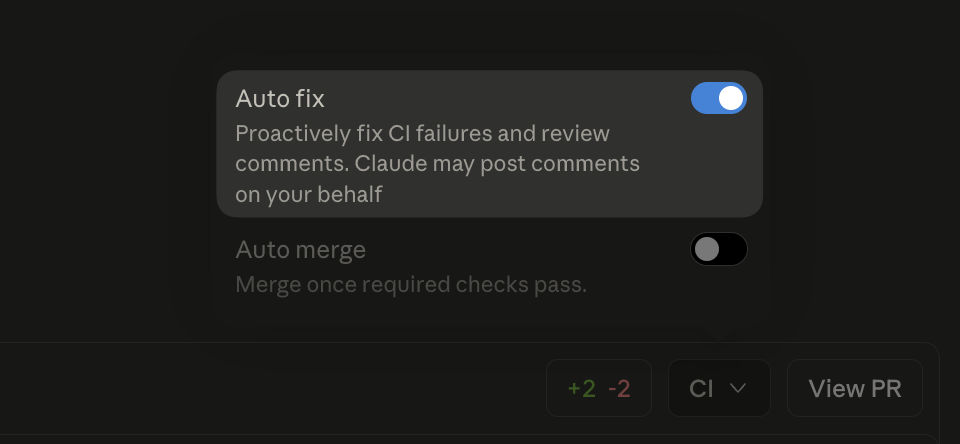
  <p className="digest-feature-lede">Flip a switch when you open a PR and walk away. Claude watches CI, fixes the failures, handles the nits, and pushes until it's green. No more babysitting a PR through six rounds of lint errors.</p>

  <Frame>
    <img src="https://mintcdn.com/claude-code/CfffsX01JHFnIKvD/images/whats-new/auto-fix.png?fit=max&auto=format&n=CfffsX01JHFnIKvD&q=85&s=c62b181c6c5d96929f0b43525f9f3584" alt="Claude Code web CI panel showing the Auto fix toggle enabled, with description 'Proactively fix CI failures and review comments'" width="960" height="444" data-path="images/whats-new/auto-fix.png" />
  </Frame>

  <p className="digest-feature-try">After creating a PR on Claude Code web, toggle Auto fix in the CI panel.</p>

  <a className="digest-feature-link" href="/docs/en/claude-code-on-the-web#auto-fix-pull-requests">Auto-fix pull requests</a>
</div>

<div className="digest-feature">
  <div className="digest-feature-header">
    <span className="digest-feature-title">Transcript search</span>
    <span className="digest-feature-pill">v2.1.83</span>
  </div>

  <p className="digest-feature-lede">Press <code>/</code> in transcript mode to search your conversation. <code>n</code> and <code>N</code> step through matches. Finally a way to find that one Bash command Claude ran 400 messages ago.</p>

  <p className="digest-feature-try">Open transcript mode and search:</p>

  ```text Claude Code theme={null}
  Ctrl+O    # open transcript
  /migrate  # search for "migrate"
  n         # next match
  N         # previous match
  ```

  <a className="digest-feature-link" href="/docs/en/fullscreen#search-and-review-the-conversation">Fullscreen guide</a>
</div>

<div className="digest-feature">
  <div className="digest-feature-header">
    <span className="digest-feature-title">PowerShell tool</span>
    <span className="digest-feature-pill">preview</span>
    <span className="digest-feature-pill">v2.1.84</span>
  </div>

  <p className="digest-feature-lede">Windows gets a native PowerShell tool alongside Bash. Claude can run cmdlets, pipe objects, and work with Windows-native paths without translating everything through Git Bash.</p>

  <p className="digest-feature-try">Opt in from settings:</p>

  ```json .claude/settings.json {3} theme={null}
  {
    "env": {
      "CLAUDE_CODE_USE_POWERSHELL_TOOL": "1"
    }
  }
  ```

  <a className="digest-feature-link" href="/docs/en/tools-reference#powershell-tool">PowerShell tool docs</a>
</div>

<div className="digest-feature">
  <div className="digest-feature-header">
    <span className="digest-feature-title">Conditional hooks</span>
    <span className="digest-feature-pill">v2.1.85</span>
  </div>

  <p className="digest-feature-lede">Hooks can now declare an <code>if</code> field using permission rule syntax. Your pre-commit check only spawns for <code>Bash(git commit \*)</code> instead of every bash call, cutting the process overhead on busy sessions.</p>

  <p className="digest-feature-try">Scope a hook to git commits only:</p>

  ```json .claude/settings.json {5} theme={null}
  {
    "hooks": {
      "PreToolUse": [{
        "hooks": [{
          "if": "Bash(git commit *)",
          "type": "command",
          "command": ".claude/hooks/lint-staged.sh"
        }]
      }]
    }
  }
  ```

  <a className="digest-feature-link" href="/docs/en/hooks">Hooks reference</a>
</div>

<div className="digest-wins">
  <p className="digest-wins-title">Other wins</p>

  <div className="digest-wins-grid">
    <div>Plugin <code>userConfig</code> now public: prompt for settings at enable time, keychain-backed secrets</div>
    <div>Pasted images insert <code>\[Image #N]</code> chips you can reference positionally</div>
    <div><code>managed-settings.d/</code> drop-in directory for layered policy fragments</div>
    <div><code>CwdChanged</code> and <code>FileChanged</code> hook events for direnv-style setups</div>
    <div>Agents can declare <code>initialPrompt</code> in frontmatter to auto-submit a first turn</div>
    <div><code>Ctrl+X Ctrl+E</code> opens your external editor, matching readline</div>
    <div>Interrupting before any response restores your input automatically</div>
    <div><code>/status</code> now works while Claude is responding</div>
    <div>Deep links open in your preferred terminal, not first-detected</div>
    <div>Idle-return nudge to <code>/clear</code> after 75+ minutes away</div>
    <div>VS Code: rate limit banner, Esc-twice rewind picker</div>
  </div>
</div>

[Full changelog for v2.1.83–v2.1.85 →](/en/changelog#2-1-83)