

Try a sample
The samples on this page are snippets, not whole mods. Each one is the code for one element and anything nested inside it. To see a sample in your own terminal, create the small mod in these steps and paste the sample into it. The mod adds a/gallery command that opens a pane and draws the sample there. A pane is a sidebar beside the transcript in a wide fullscreen terminal, or a framed region above the prompt otherwise.
1
Create the mod
Create a directory named Name your entry point in Save the code as
gallery with .claude-plugin and hooks directories inside it. Create a mod explains the files.Save the manifest as gallery/.claude-plugin/plugin.json:gallery/.claude-plugin/plugin.json
gallery/hooks/hooks.json:gallery/hooks/hooks.json
gallery/hooks/register.js. It adds a /gallery command that opens a pane, and draws Plain text in that pane:gallery/hooks/register.js
2
Run the mod
In your shell, start Claude Code from the directory that holds At the Claude Code prompt, run
gallery:/gallery. A pane opens with Plain text in it.3
Swap in a sample
Copy a sample from this page. In
register.js, paste it over Text({ children: ['Plain text'] }), so that it follows return, and save the file. Claude Code reloads the module each time you save, so run /gallery again to see the new sample.Pick an element
The samples are grouped by what you want to put on screen:- Show text:
Text,Markdown, andLink - Show code and changes:
Code - Arrange elements:
Box - Take input:
Button,Input, andSelect - Draw pictures:
Raster,Svg,Image, andClient
Show text
Three elements put words on screen:Text for your own styling, Markdown for content that’s already formatted, and Link for a URL.
Text
Text draws a string with the styles you give it. This sample shows one line for each style:
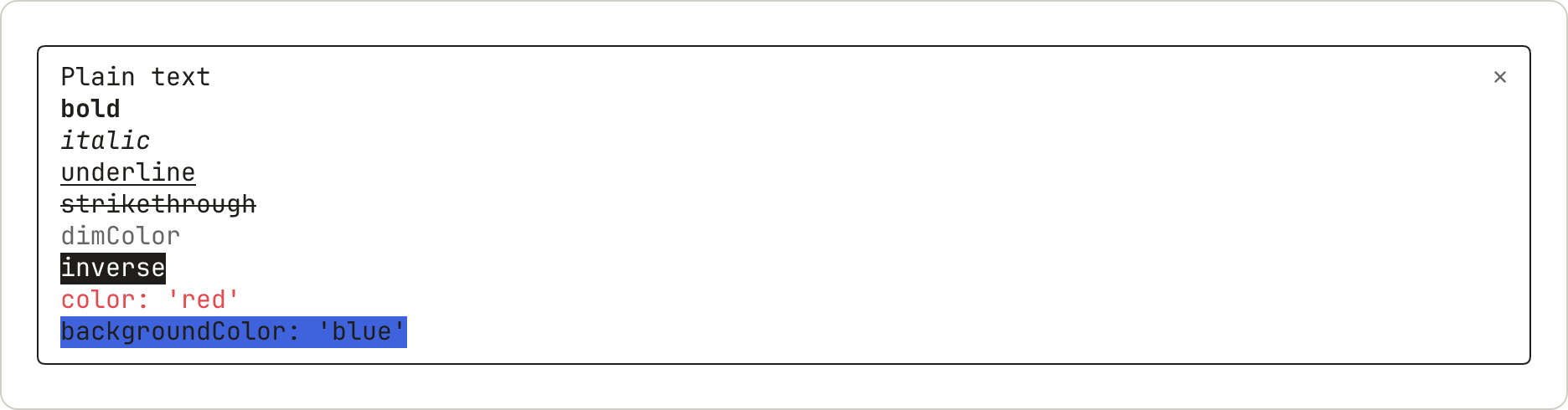
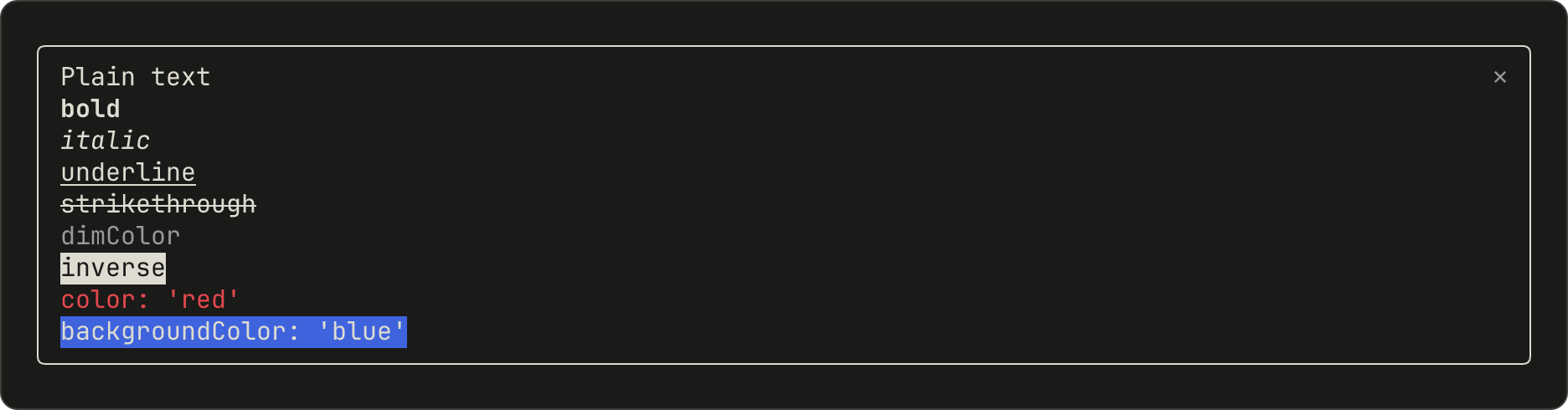
dimColor draws the text in gray. backgroundColor fills only as wide as the text.
Markdown
Markdown formats text the way Claude’s replies are formatted. Pass the content in text, not in children:
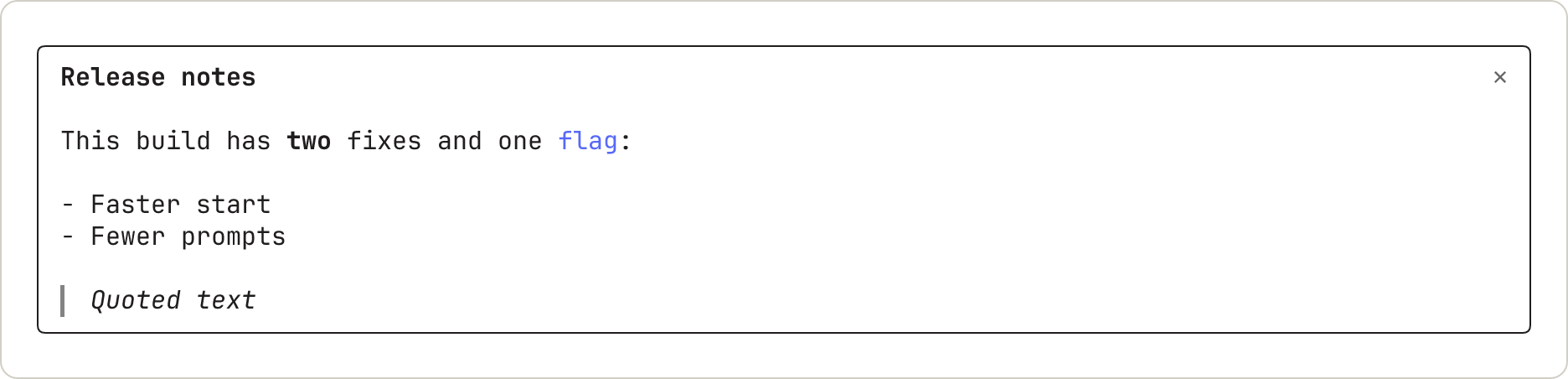
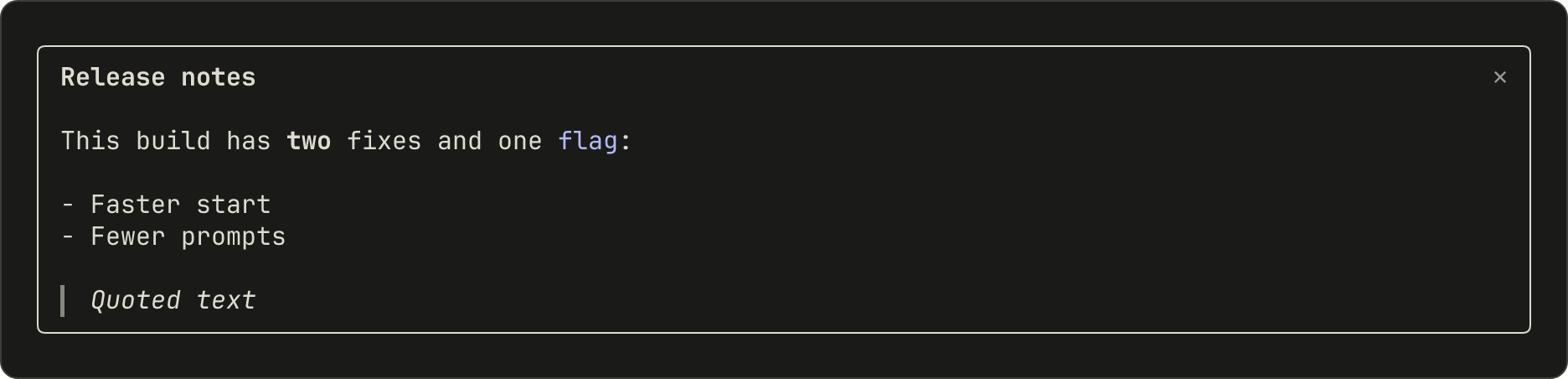
# marks. Inline code draws in color without its backticks. A quote draws in italics with a bar on its left.
Link
Link draws a label followed by its URL:


Show code and changes
Code draws source text with Claude Code’s own syntax colors, or a diff.
Code
Name the language, or pass a path for Claude Code to infer it from. With startLine, the lines are numbered from that number:


Code as a diff
With format: 'diff', source is one or more unified diff hunks:


@@ line. Where a removed line and an added line are alike, the words that changed get a stronger shade.
Arrange elements
Box
Box lays out what’s inside it in a row or a column, and can draw a border. This sample puts a row of words above a bordered box:


Take input
Button, Input, and Select are controls: the user moves between them with Tab and uses the one that has the focus. Keyboard focus and hotkeys covers which keys reach them.
Opening a pane with focus: true gives the pane keyboard focus. Typed letters reach an Input once it has the focus, so add autoFocus: true to a field that should take typing as soon as the pane opens.
Button
A button runs onPress. This sample shows the default form, a plain button with a hotkey, and a dim one:




Input
An Input is a one-line text field that runs onSubmit when the user presses Enter:


submitLabel shows after ⏎:




Select
A Select lets the user pick one of several options, and runs onSelect with the option’s value:






Draw pictures
Raster
A Raster is a grid of colored character cells, for a heat map, a sparkline, or a game board. The terminal draws it. This sample uses the cellsOf function in the starter module, which packs the cells into the string a Raster takes. Draw a grid of colored cells explains it:


Raster rounds each color to a smaller palette, so 0x2e7d32 draws as #337733.
Svg
An Svg draws an SVG document in the Desktop app:
Svg opens empty. To draw something else there, check e.surface and return a different tree.
Image and Client
Two more elements have no sample here. Image draws a PNG or raw pixels in the terminal. Client is a region that a second file of yours draws, for animation and pointer input. The elements reference lists their props.
See where a mod can draw
The samples all draw in a pane. A mod can also draw in other places, and call Claude Code to show something for it:- Pane and band: Pick where to draw
- Claude Code’s own rows, such as the spinner: Change what Claude Code already draws
- Toast, status line, and log line: Show something without starting a turn
- Question dialog: Hold a tool call until the user decides
Next steps
- Draw in the interface: build a pane with tabs, step by step
- Test a drawing: press your buttons from a test
- Elements reference: each element’s main props and the apps that draw it