

Type /resume in the Claude Code Desktop prompt box to pick up any session you started from the CLI and continue it in the app with the full conversation and context intact. Search your sessions by title, folder, or branch, and preview where you left off before you resume.
In a Desktop session, run the command to list your terminal sessions:
Select a session and press Enter. The conversation opens in the app where you left off.
When a tool keeps failing, Claude can’t help with a request, or you point out a mistake, Claude now drafts a feedback report for you with the SendFeedback tool. A card above your prompt shows the draft, and you can review, send, or dismiss it from there. Nothing reaches Anthropic until you send it. Requires v2.1.238 or later.
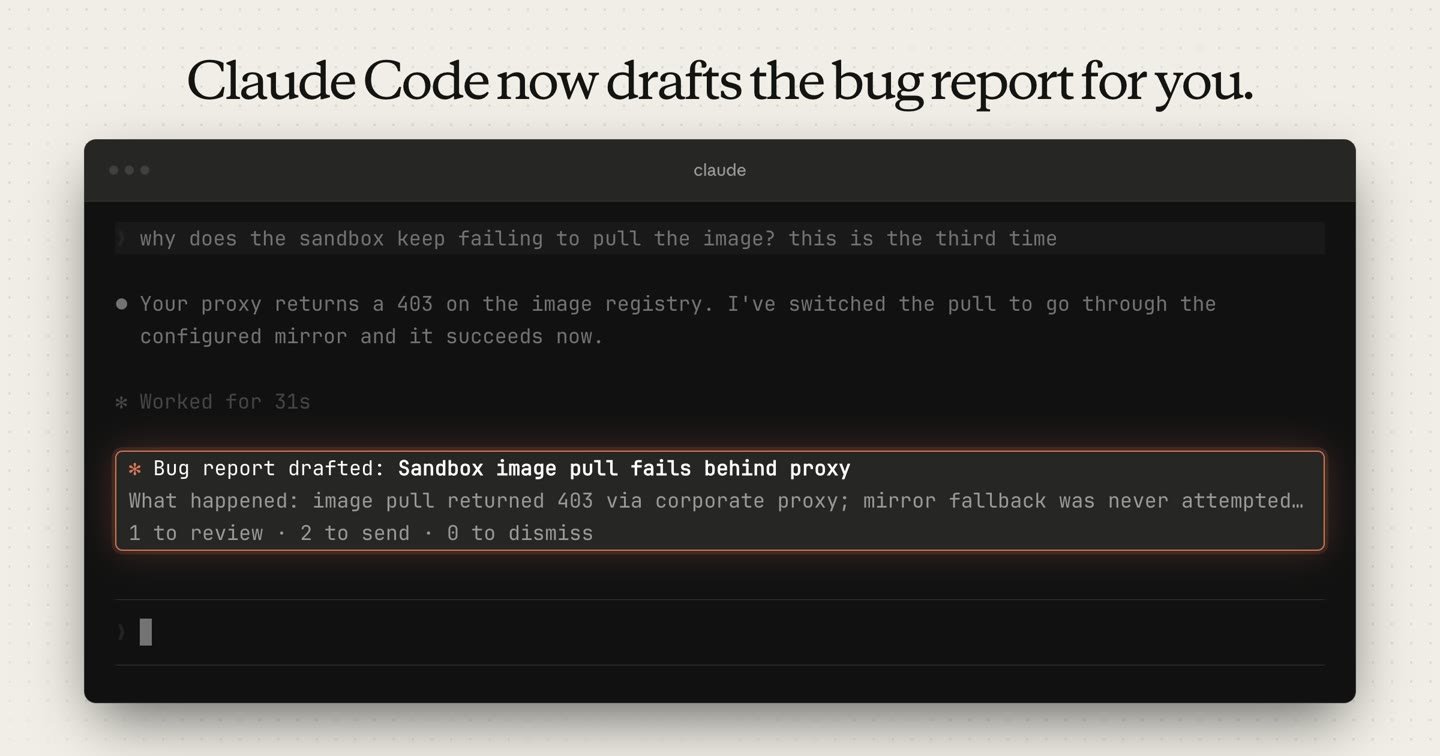
Run /feedback with no argument to open your queue of drafts from every session:
Select a draft, then edit, send, or discard it. To turn drafting off, set Claude-drafted feedback to off in /config.
Restricted mode starts Claude Code without the built-in tools that run commands or code. Use it when an evaluation harness drives claude on a shared machine. Start it with --restricted or set CLAUDE_CODE_RESTRICTED=1. Claude Code also removes WebFetch, confines the file tools to the working directories, loads only managed settings and --settings, and refuses the bypassPermissions permission mode.
Run a non-interactive query without the command-running tools:
To give Claude one of the removed tools back, list it in --tools together with the other built-in tools you want, for example --tools "Bash,Read,Edit". --tools is an allowlist, and its default preset doesn’t restore the removed tools.
Other wins
modelPicker setting to extend or replace the /model picker’s built-in list with your own ordered, labeled entries, including Amazon Bedrock or Google Cloud’s Agent Platform model IDspromptCacheTtl to 1h to keep a one-hour prompt cache on the main conversation when you use an API key or a cloud provider; subagentPromptCacheTtl sets the TTL for subagents and all other requests outside the main conversation/usage adds a Loops breakdown: run count, total tokens, tokens per run, and last run for the /loop and scheduled tasks that used the most tokensmodelPricing managed setting so /usage, the status line, and OpenTelemetry report cost at those rates instead of list price/login offers Sign in with your Console account under the Anthropic Console account option, so members of Console organizations that don’t allow API keys can sign in without creating one/permissions and open the new Auto mode tab to view and edit auto mode classifier rules without opening a settings fileacceptEdits permission modes offer a Yes, and switch to auto mode option; select it to approve the command and switch the session to auto mode/cd, the new directory’s project settings, hooks, .mcp.json servers, skills, and subagents take effect immediately instead of on the next --resume-p runs, Agent SDK runs, and cloud sessions, Claude Code continues a response that a server error, dropped connection, or stall cut off mid-stream, when the partial response contains text and no tool callsmaxTurns limit returns its output marked as partial, with a hint that Claude can continue it with SendMessage, instead of appearing finished/loop can choose its own interval, and /model and /effort apply immediately instead of after the turn ends